Categories
Table of contents
Definition
Categories are used to classify elements across the system. Any categorizable entity (Missions, Instruments, Data Products, etc.) can be assigned one or more Categories.
Categories are defined with:
- Name, Short Name, and Definition (as with all entities)
- Super Categories: Parent categories forming a hierarchy
- Permissible Classes: Entity types that can be members of this category
Super Categories
Super Categories create a hierarchical classification system. A category may have multiple super categories, forming an acyclic graph (not a strict tree).
For example:
- Super category: Spectrometer
- Sub-category: Cross-nadir shortwave (UV/VIS) sounder
- Sub-category: Limb emission IR spectrometer
Permissible Classes
A category’s Permissible Class list defines which entity types can be categorized by it. For example, a category called “Visible spectrum” might have only Payload as a permissible class, meaning it can only be applied to instruments — not to Missions or Programmes.
Browse Categories
-
Go to the Administration application through the topbar.
-
Select Categories in the top-left selector.
-
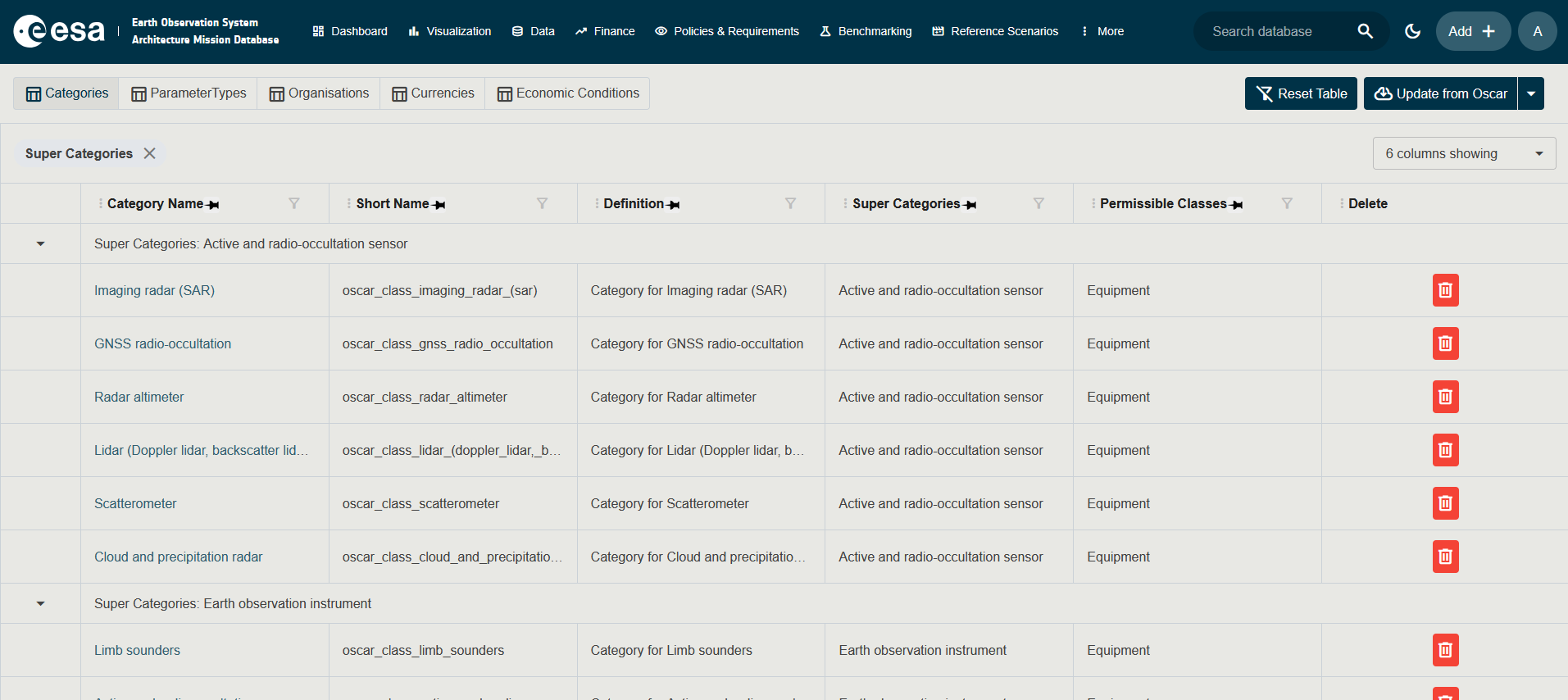
The table displays all existing categories with their Name, Short Name, and Definition.
Create a Category
-
Go to the Administration application through the topbar.
-
Select Categories in the top-left selector.
-
Click the blue + button in the bottom right of the screen.
-
Enter a Name, Short Name, and Definition.
-
Optionally select Super Categories and Permissible Classes.
-
Click Save.