Economic Conditions
Table of contents
Overview
Economic Conditions in EORSA-DB represent the economic context of a given calendar year. They serve as reference points for normalising financial transaction values so that costs recorded in different years can be compared on a common economic basis (adjusting for inflation or deflation).
Managing Economic Conditions requires the AccessProgrammaticData permission.
Properties
| Property | Type | Description |
|---|---|---|
| Name | string (required) | Full descriptive name (e.g., 2024 Economic Conditions, Year 2020 Reference). |
| Short Name | string (required) | Abbreviated identifier used in dropdowns (e.g., EC2024, 2020). |
| Year | integer (required) | The calendar year this economic condition represents (e.g., 2024). |
| Evolution | double (%) | Percentage change in economic conditions relative to the previous year. A positive value indicates inflation (e.g., 3.5 means 3.5% inflation); a negative value indicates deflation. |
| Definition | text | Free-text description of the economic context, data source, and methodology used to derive the evolution value. |
| Data Source | string | Reference to the source of the economic data (e.g., Eurostat, World Bank, ESA Programme Office). |
| Attachments | file list | Attached supporting documents. |
| Illustrative Images | image list | Supporting charts or graphs illustrating the economic trend. |
Purpose in Financial Analysis
Economic Conditions are used in two complementary ways within EORSA-DB:
1 — Reference Year on a Financial Transaction
Each Financial Transaction can optionally reference an Economic Condition via its Reference Economic Condition field. This documents the economic year in which the transaction value was originally expressed.
For example:
- A contract worth €500 M recorded in 2018 prices is linked to the
EC2018Economic Condition. - When comparing this to a 2024 budget, the application can apply the chain of Evolution factors to convert both to the same reference year.
2 — Conversion Year in the Financial Page
The Select conversion year dropdown in the Financial application toolbar selects an Economic Condition to use as the normalisation target. All displayed financial values are then adjusted to that year’s economic context using the chain of Evolution values.
- Select a conversion year to display real (inflation-adjusted) values.
- Leave the field empty to display nominal values as originally recorded.
See Financial Application for details on how to use this dropdown.
Managing Economic Conditions
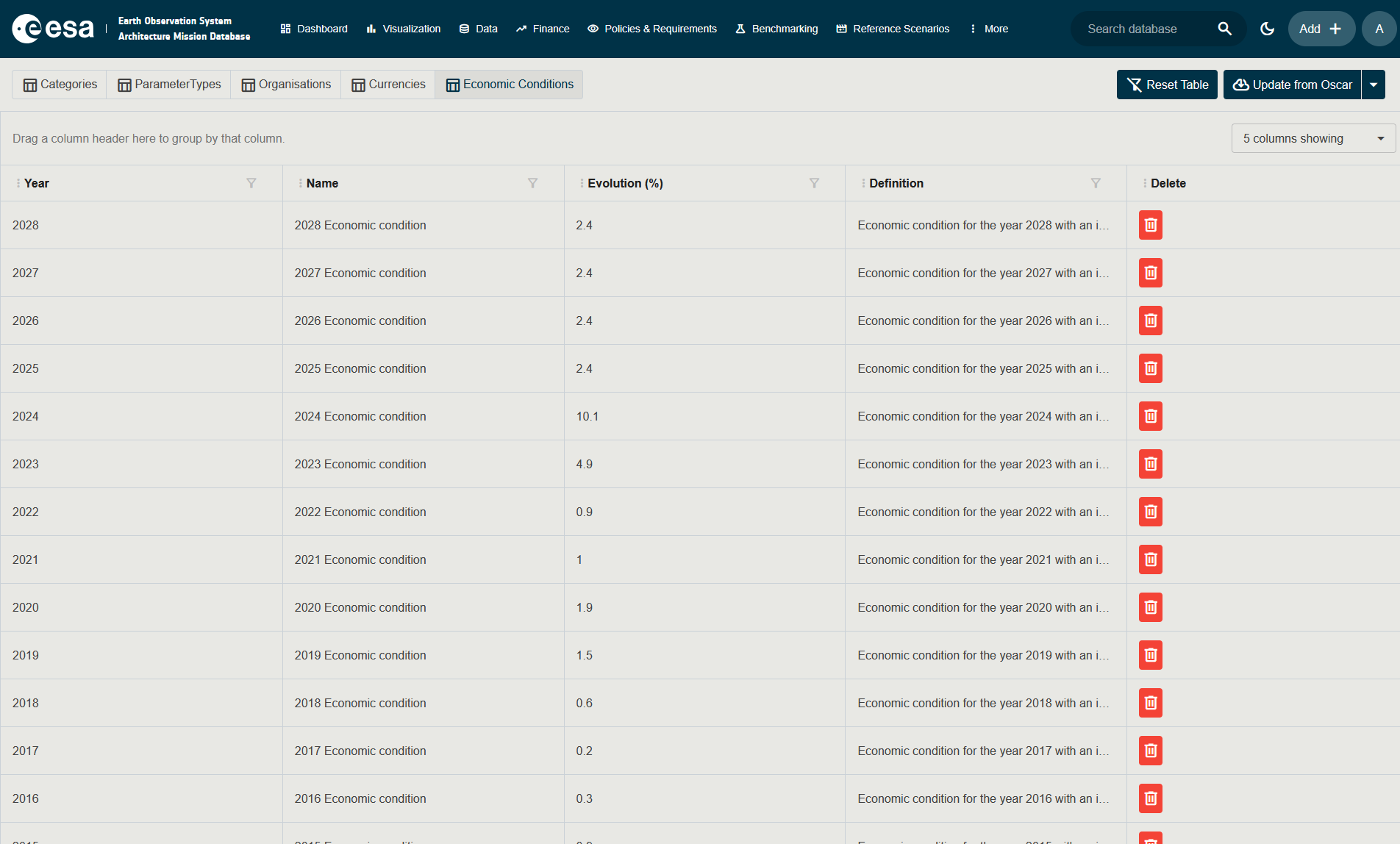
Navigating to the Economic Conditions tab
- Click Administration in the top navigation bar.
- On the Administration page, click the Economic Conditions tab.
The tab displays a grid of all defined economic conditions.
Adding a New Economic Condition
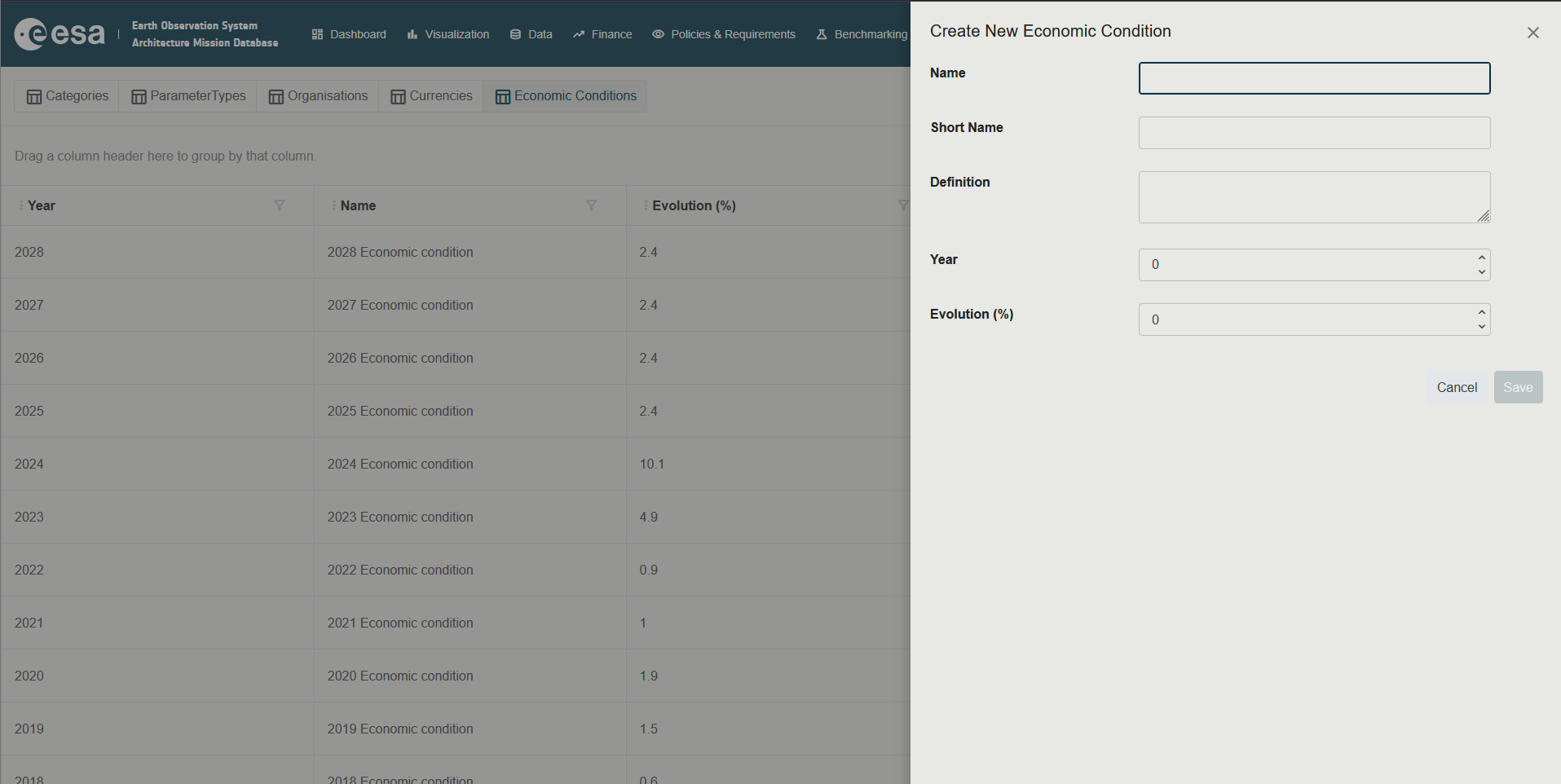
- In the Economic Conditions tab, click the + button (or Add button in the grid toolbar).
- Fill in the fields (see Properties above).
- Click Save.
Editing an Economic Condition
- In the grid, click the row of the economic condition to open its edit panel.
- Modify the fields.
- Click Save.
Deleting an Economic Condition
- In the grid, click the row of the economic condition.
- Use the Delete action.
Deleting an Economic Condition that is referenced by existing Financial Transactions will leave those transactions without a reference condition. The transactions themselves are not deleted, but their Reference Economic Condition link will be empty.
Recommended Practices
- Create one Economic Condition record per calendar year.
- Use reliable, official sources for the
Evolutionvalue (e.g., Eurostat HICP for Euro-denominated programmes). - Document the source and methodology clearly in the
DefinitionandData Sourcefields so that analysts can reproduce or audit the normalisation. - A consistent naming convention such as
EC<YEAR>(e.g.,EC2020,EC2021, …) makes the conditions easy to identify in the Financial page dropdown.
Permissions Summary
| Action | Required Permission |
|---|---|
| View Economic Conditions | AccessProgrammaticData |
| Add / Edit / Delete Economic Conditions | AccessProgrammaticData |