Parameter types
Table of contents
Definition
Parameter Types define the kinds of values that can be assigned to entities in the database. When you add a Parameter Value to a Mission, Instrument, Data Product, or other entity, the value’s format is determined by a Parameter Type.
A Parameter Type is the schema — it declares format, components, and units, but does not by itself carry data. The actual data is held by Parameter Values attached to domain entities (see Parameter Values), and the rules that read those values during benchmarking are Parametric Constraints on Requirements (see Parametric Constraints). For a complete end-to-end example connecting all three, see the Worked Example.
Available Parameter Types
| Type | Value Format | Example |
|---|---|---|
| Boolean Parameter Type | true or false | Active: true |
| Date Parameter Type | A calendar date | Launch Date: 2025-03-15 |
| Date Time Parameter Type | Exact date and time | Acquisition Time: 2025-03-15T14:30:00Z |
| Derived Quantity Kind | Calculated from other values | SNR (Signal-to-Noise Ratio) |
| Enumeration Parameter Type | A value from a predefined list (can allow multi-select) | Status: [Operational, Commissioning] |
| Simple Quantity Kind | A numerical value with unit | Altitude: 817 km |
| Specialized Quantity Kind | A specialized numerical value | Spectral Resolution: 0.5 nm |
| Text Parameter Type | Free-text value | Responsible Agency: ESA |
| Time Of Day Parameter Type | A time within a day (no specific date) | Overpass Time: 10:30 |
| Compound Parameter Type | Multiple component values (non-scalar) | Orbit: {altitude: 817, inclination: 98.7} |
| Array Parameter Type | One or multi-dimensional array | Swath dimensions: [3, 3] |
Enumeration Values
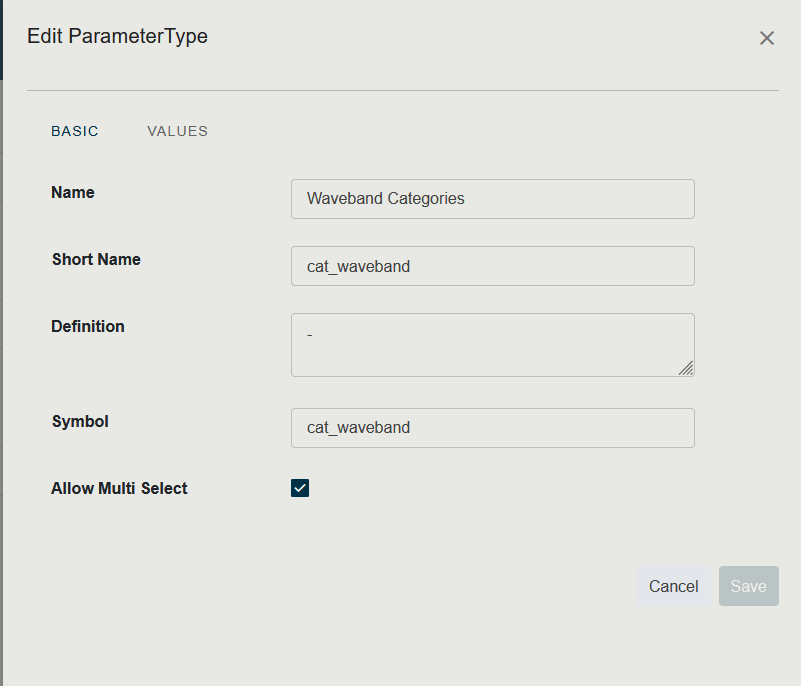
When creating an Enumeration Parameter Type, you define the list of allowed values. Each value has a Name and optionally a Short Name. Multi-select can be enabled to allow choosing more than one value.
Compound and Array Types
Compound Parameter Types combine multiple scalar components into a single value. Each component references another Parameter Type.
Array Parameter Types extend compound types by defining dimensions (e.g., {3, 3} for a 3×3 matrix).
Browse Parameter Types
-
Go to the Administration application through the topbar.
-
Select Parameter Types in the top-left selector.
-
The table displays all existing parameter types, with their Name and type classification.
Create a Parameter Type
-
Go to the Administration application through the topbar.
-
Select Parameter Types in the top-left selector.
-
Click the blue + button in the bottom right of the screen.
-
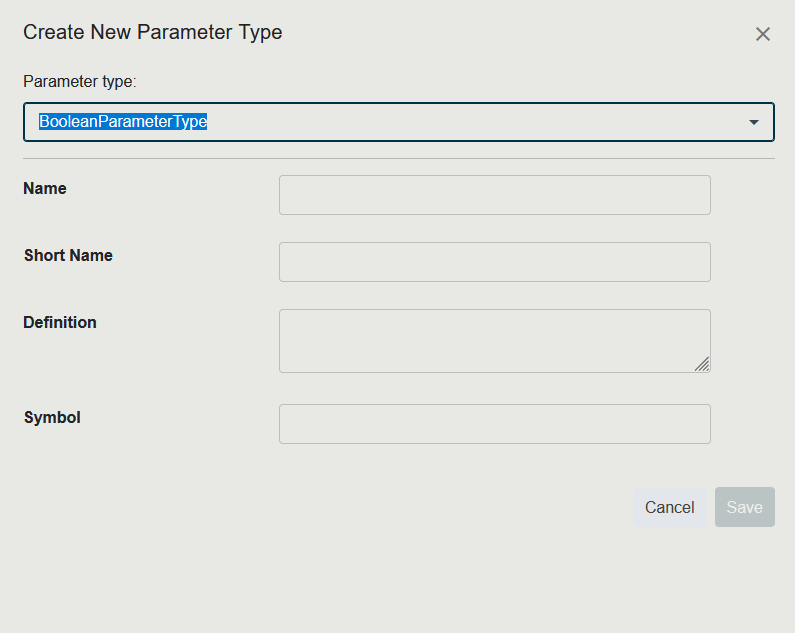
In the dropdown at the top of the panel, select the type of Parameter Type you want to create.
-
Fill in the Name, Short Name, and Definition.
-
For Enumeration types, add the list of allowed values.
-
Click Save.